Use this task when you need a tiny, repeatable fixture for checking punctuation or line-oriented formatting before comparing larger drafts. Text Repeater creates the controlled string; Word Counter can then help inspect how copied text and blank lines are interpreted. The examples below use exact literals so another person can reproduce the same result without guessing.
Build a Punctuation Fixture
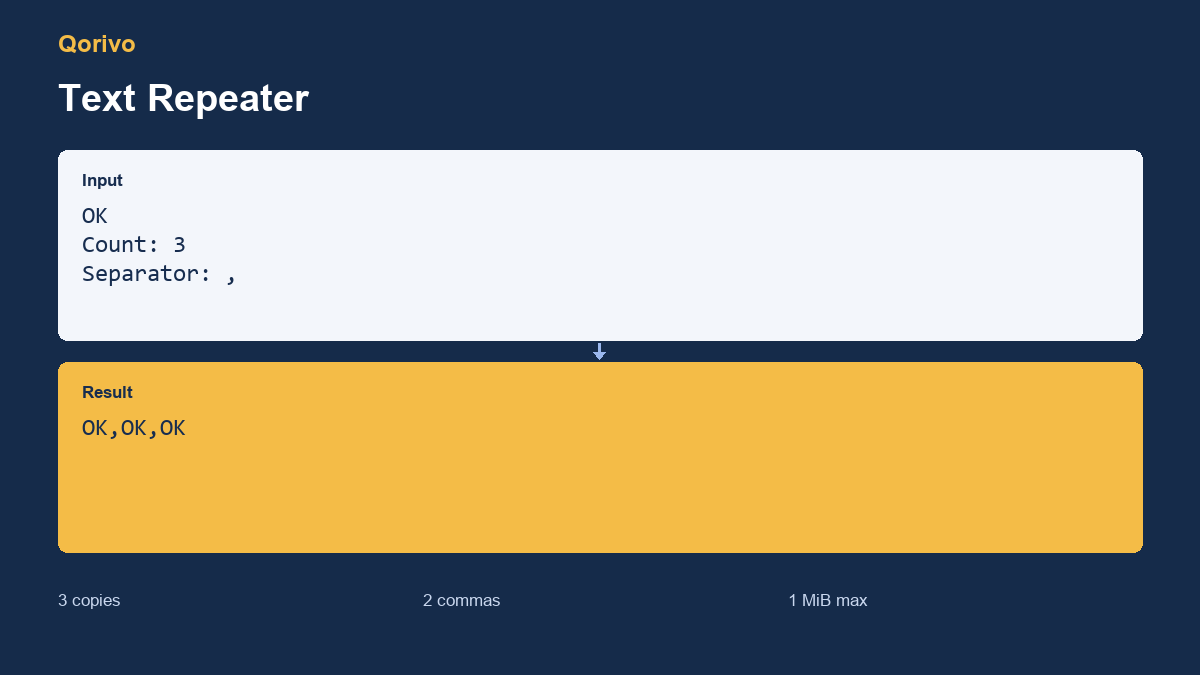
Start with the smallest useful case: the text is OK, the count is 3, and the separator is a comma. Keep the newline option disabled. The literal illustration input is shown below, with each field on its own line for clarity. In the tool, enter those values into their corresponding fields, then generate the repeated text.
OK
Count: 3
Separator: ,
The expected output is OK,OK,OK. It contains three copies of OK and exactly two comma separators, because separators appear only between adjacent copies. There is no trailing comma and no terminal newline. To verify it, count the three OK tokens, inspect the two commas, and compare the first and last characters with the expected fixture.
Probe Newline Behavior
Next, enable the newline option while keeping the comma separator. The option appends one LF to each separator, so the comma remains visible before the line break. With three copies, the first two lines therefore end in commas, while the third line ends in OK. This is a useful deterministic check for systems that distinguish separators from final terminators.
OK,
OK,
OK
For one token per line without commas, use an empty separator together with the newline option. This changes the fixture intentionally: each boundary receives the newline behavior, but no comma bytes are added. Compare that output with the comma-enabled result to isolate punctuation from line splitting. Word Counter can also check copied multiline text when paragraph boundaries matter.
Respect Count and Byte Limits
Text Repeater accepts counts from 1 to 10,000, and generated output cannot exceed 1048576 bytes, or 1 MiB. Count 1 is a useful boundary test because it produces one copy and zero separators. For larger counts, calculate textBytes × count + separatorBytes × (count - 1). If the line-break option is enabled, include the added LF in separatorBytes.
These checks are cheap because they use short, visible fixtures rather than a long document. Try count=1, count=2, and count=3, keeping the text and separator fixed, then verify that separators increase only between copies. If a byte limit is relevant, measure the actual text and separator byte sizes, not merely their visual character lengths, before increasing the count.
Checks for a reusable fixture
- Confirm OK,OK,OK has three tokens, two commas, and no terminal newline.
- Test empty separator plus newline for one token per line; test comma plus newline for commas on the first two lines only.
- Confirm count 1 returns just OK, then use the byte formula before producing a large fixture.
