When a link already has useful query data and a page fragment, campaign editing must change only the intended tracking values. This guide uses UTM Builder to replace utm_source, add the requested campaign values, and preserve lang=en plus #faq. It then uses URL Parser to inspect a separate specimen URL.
Prepare the Existing Campaign Link
Begin with the supplied specimen in UTM Builder: https://example.com/guide?lang=en&utm_source=old#faq. It already contains the ordinary query parameter lang=en, an existing utm_source=old, and the fragment #faq. Treat these as values to preserve or replace deliberately, rather than rebuilding the URL by hand.
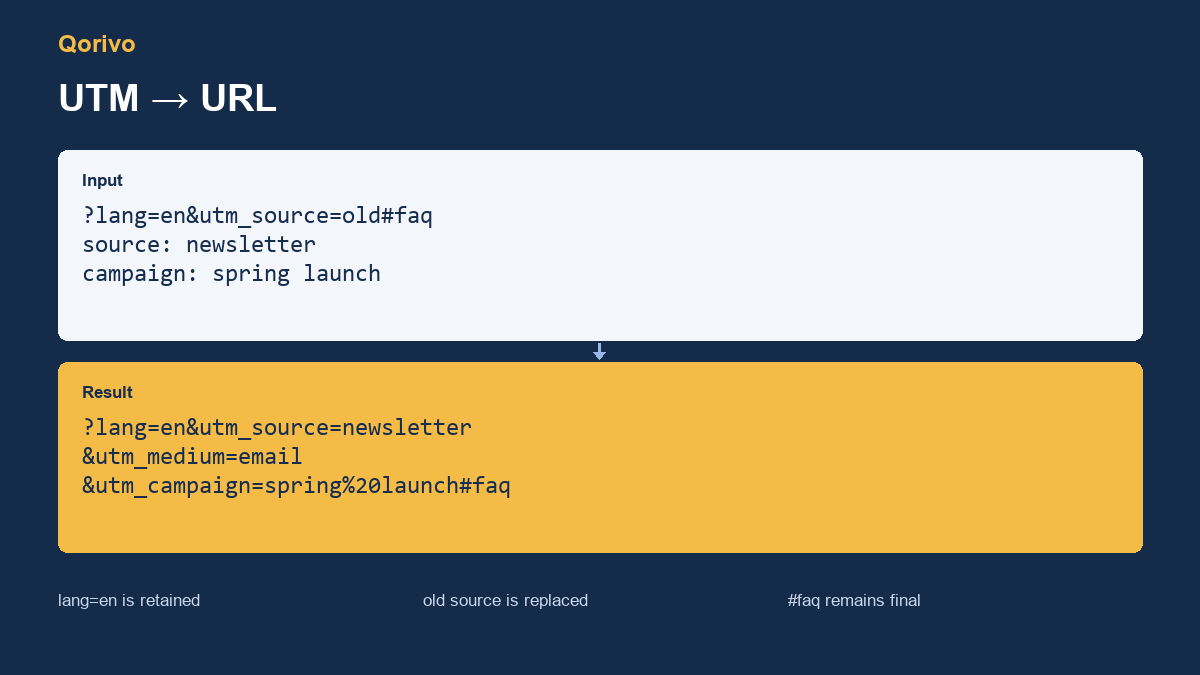
Enter newsletter as the source, email as the medium, and spring launch as the campaign. Generate the link using the tool’s normal action. The intended task is to replace the old source while retaining the ordinary query parameter and fragment, with the campaign’s space encoded for URL use.
https://example.com/guide?lang=en&utm_source=old#faqGenerate and Inspect the Replacement
After generation, compare the result with https://example.com/guide?lang=en&utm_source=newsletter&utm_medium=email&utm_campaign=spring%20launch#faq. Confirm that utm_source=old is gone, the new source and medium are present, and the campaign value appears as spring%20launch, not as an unescaped space.
Next, use URL Parser with https://docs.example.com/guides/start.html?lang=en&mode=print. Parse the specimen and inspect the returned lines separately. The expected sequence is https, docs.example.com, /guides/start.html, and lang=en&mode=print; compare each line directly with the input.
https://example.com/guide?lang=en&utm_source=newsletter&utm_medium=email&utm_campaign=spring%20launch#faqVerify Values Against the Ground Truth
The UTM result is correct when it keeps lang=en, ends with #faq, and contains the three requested campaign values. The URL Parser result is correct when the scheme is https, the host is docs.example.com, the path is /guides/start.html, and the query is lang=en&mode=print.
Use the supplied results as ground truth, not visual similarity alone. Check separators carefully: ? begins the query, & separates query values, %20 represents the campaign space, and #faq remains the final fragment. If any expected part differs, do not reuse the generated link yet.
Know the Limits Before Reuse
Blank optional UTM fields leave their existing tags in place, so an apparently unchanged value may be intentional. Also keep personal data out of tracking links. Query strings can be copied, logged, or shared, making private names, contact details, or other identifying values unsafe to place there.
For parsing, use the exact host returned by the tool when checking a link. A simplified domain interpretation can mislead on suffixes such as .co.uk. Re-run both checks after changing the URL, especially if you alter the path, ordinary query values, campaign fields, or fragment.
- Confirm
lang=ensurvives the UTM replacement. - Confirm the final fragment is exactly
#faq. - Confirm Parser returns
/guides/start.htmlandlang=en&mode=print.
