This guide follows one small spreadsheet handoff in both directions. It separates two easily confused cases: tabs that divide TSV columns, and a tab stored inside a JSON string as \t. The examples keep identifiers as text, preserve an empty cell, and expose how quoting changes the visible result.
Start with real TSV separators
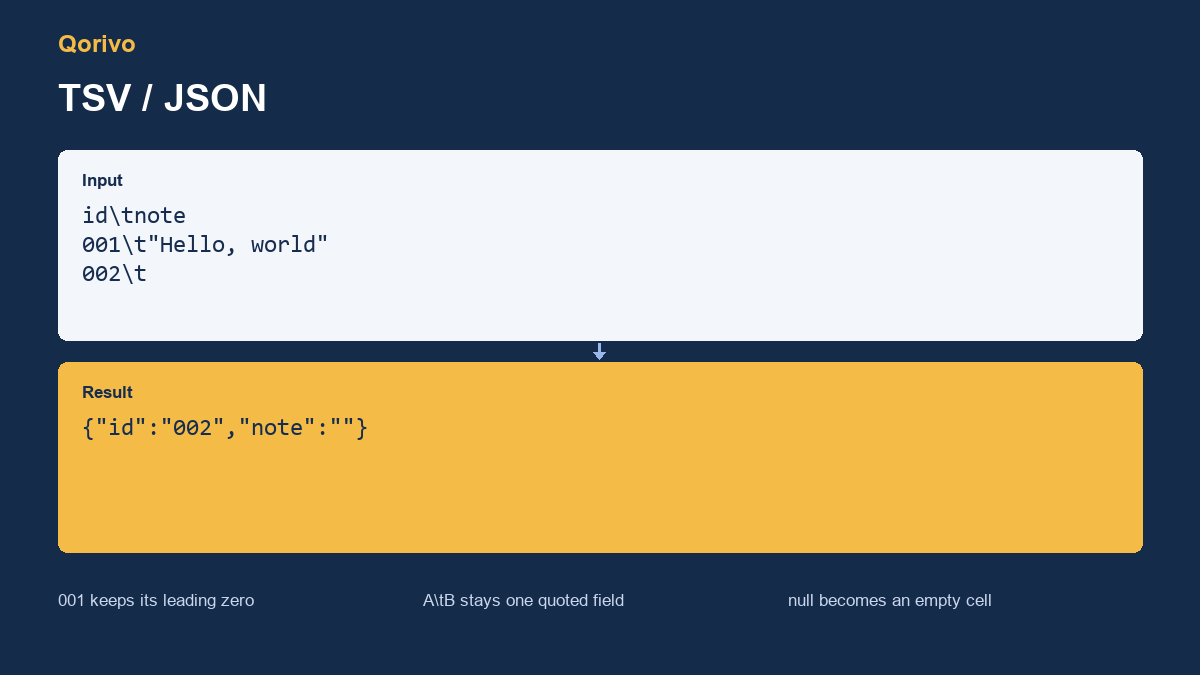
Open the tsv-to-json tool and paste the sample exactly as shown in the first example below. The gap between each pair of values is an actual tab, not a run of spaces. Keep the final tab after 002; it marks the second row's empty note field.
Run the conversion, then read the two objects under the id and note keys. The first row contains the text Hello, world, including its comma. The second row contains an empty string, while both identifiers remain text values rather than numbers.
id	note
001	"Hello, world"
002
Read the JSON result precisely
Compare the tool result with the JSON example below. Its compact JSON has two objects, and each object has the same two keys. The first object maps 001 to Hello, world; the second maps 002 to "", which is JSON notation for an empty string.
Check the leading zeroes before moving the data onward. 001 and 002 must remain unchanged. If the source was pasted with spaces instead of tabs, the tool cannot see the intended columns, so correct the source and run the conversion again.
[{"id":"001","note":"Hello, world"},{"id":"002","note":""}]Export a tab inside a field
For the reverse direction, paste [{"id":"001","note":"A\tB"},{"id":"002","note":null}] into JSON to TSV. In JSON text, the escape \t represents one actual tab within the note field after parsing. The two characters describing the escape do not themselves delimit columns.
Convert the records and inspect the raw TSV result. The first note is quoted as "A<TAB>B" in the displayed sample, with a tab between A and B. The second record places 002 under id and leaves note empty because its value is null.
Reuse the handoff without surprises
Use the output as a small, inspectable handoff: verify headers, row alignment, identifier spelling, and empty-cell meaning before importing it elsewhere. The first row controls the exported column order, so keep the intended keys present in that row when producing TSV.
This method is limited to flat records in the supplied examples. Flatten nested values before export, and do not replace tabs with spaces when they are meant to separate columns. If a field itself contains a tab, preserve the tool's quoting and inspect the raw text before reuse.
- Confirm
001and002still have leading zeroes. - Confirm
A\tBbecomes one quoted TSV field. - Confirm
nullbecomes an emptynotecell.
